
📚Table of Contents
1. Overview
2. How to Book a Meeting
3. Key takeaways
Introduction
Account passwords are essential to protect your personal and sensitive information within the G&H Automation Client Portal. They act as the first defense against potential security breaches and unauthorized access to your account. It's essential to create a unique password for each account and avoid using the same password across multiple accounts.
Additionally, it's crucial to regularly update your passwords and avoid sharing them with anyone to keep your information secure in the client portal. Remember, a strong and secure password is key to protecting your account and keeping your personal information safe.
How to Change Your Account Password
To change your account password, follow the steps below:
Step 01:
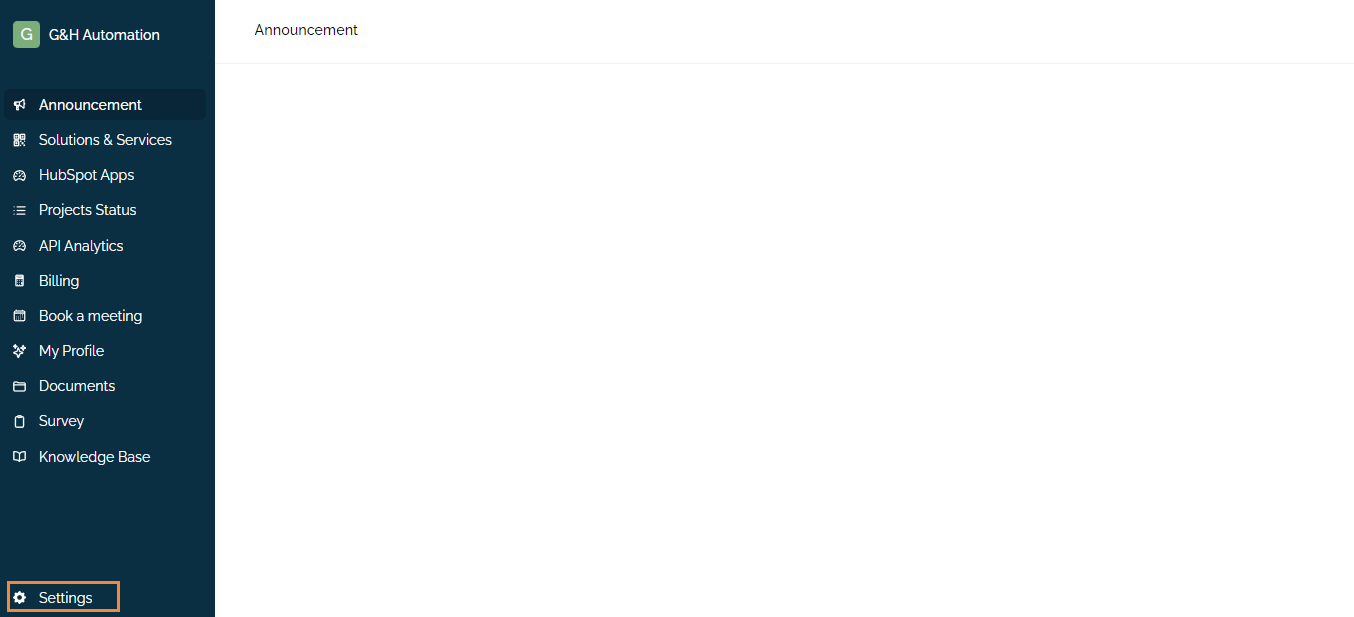
Log in to the client portal, and click Settings from the menu.
Step 02:
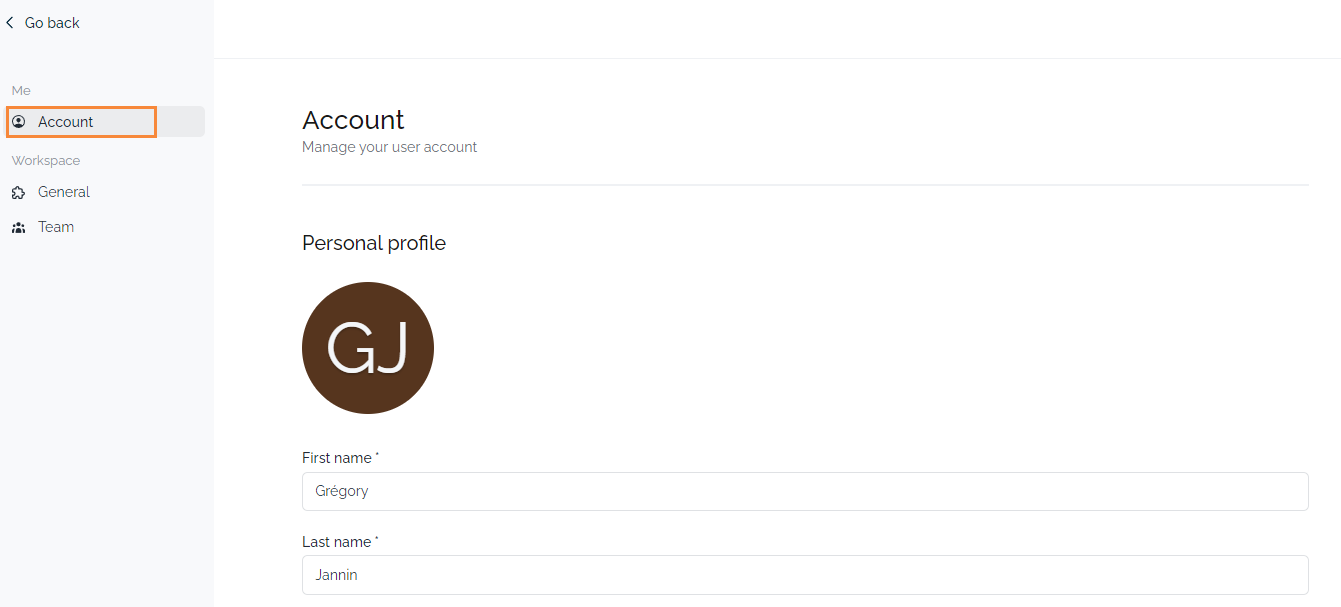
A new window will open and Click on the Account tab.
Step 03:
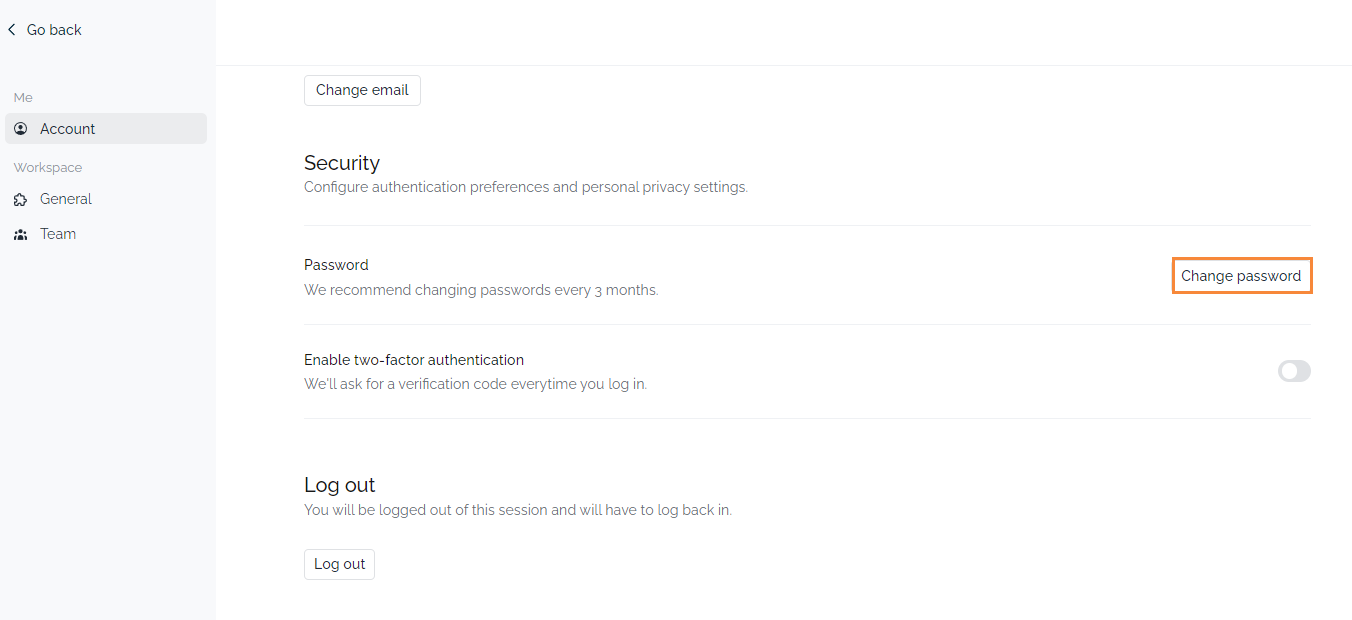
Scroll to the bottom and click on "Change Password".
Step 04:
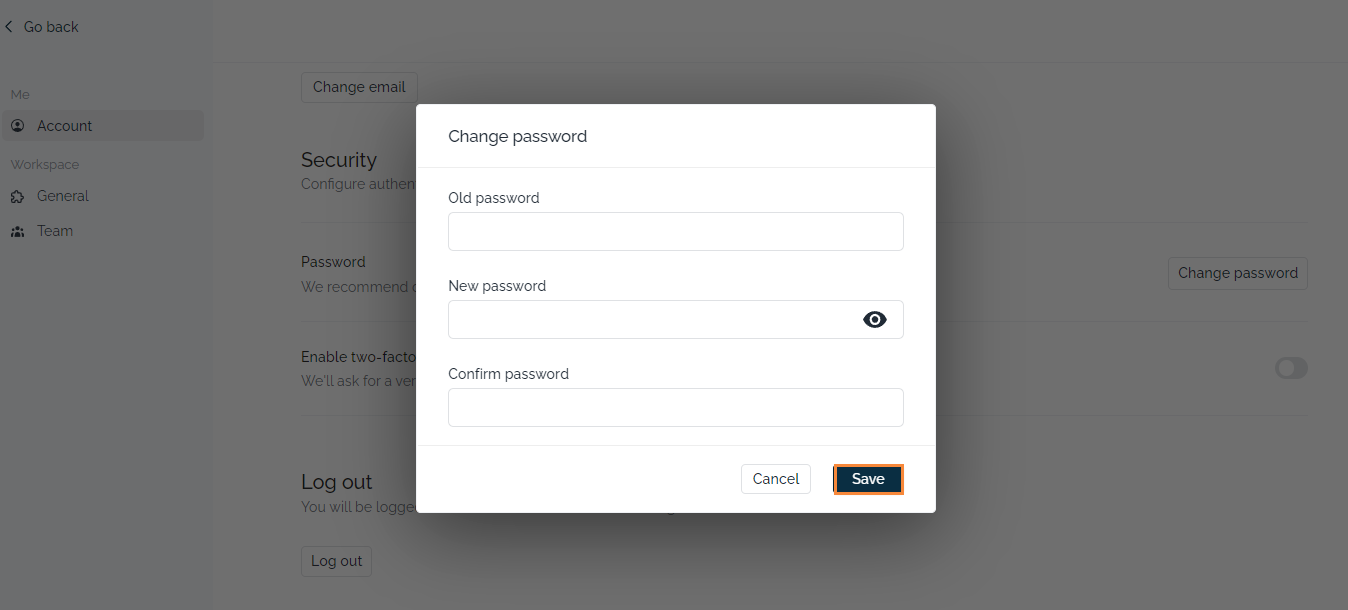
Add your current password and new password (enter it twice to confirm). After that click "Save", and you are good to go.
Key Takeaways
-
Password Importance: Strong, unique passwords protect your account and personal information.
-
Regular Updates: Change your password frequently to enhance security.
-
Confidentiality: Avoid sharing your password with others.
-
Easy Steps: Follow the simple steps to change your password in the client portal.
💡Looking for Help?
Do you have further queries or require additional clarification? Feel free to reach out.