
📚 Table of Contents
1. Overview
2. Client Portal Features
3. Key Takeaways
Overview
G&H Automation Client Portal is a secure online platform that provides complete workflow transparency to clients or customers. It serves as a centralized hub where clients can access various services and information related to their projects, such as announcements, Solutions & Services, Project Status, Billing History, and much more. All in all, it's a convenient way for clients to take quick action and access potential information about their existing, future, and completed projects.
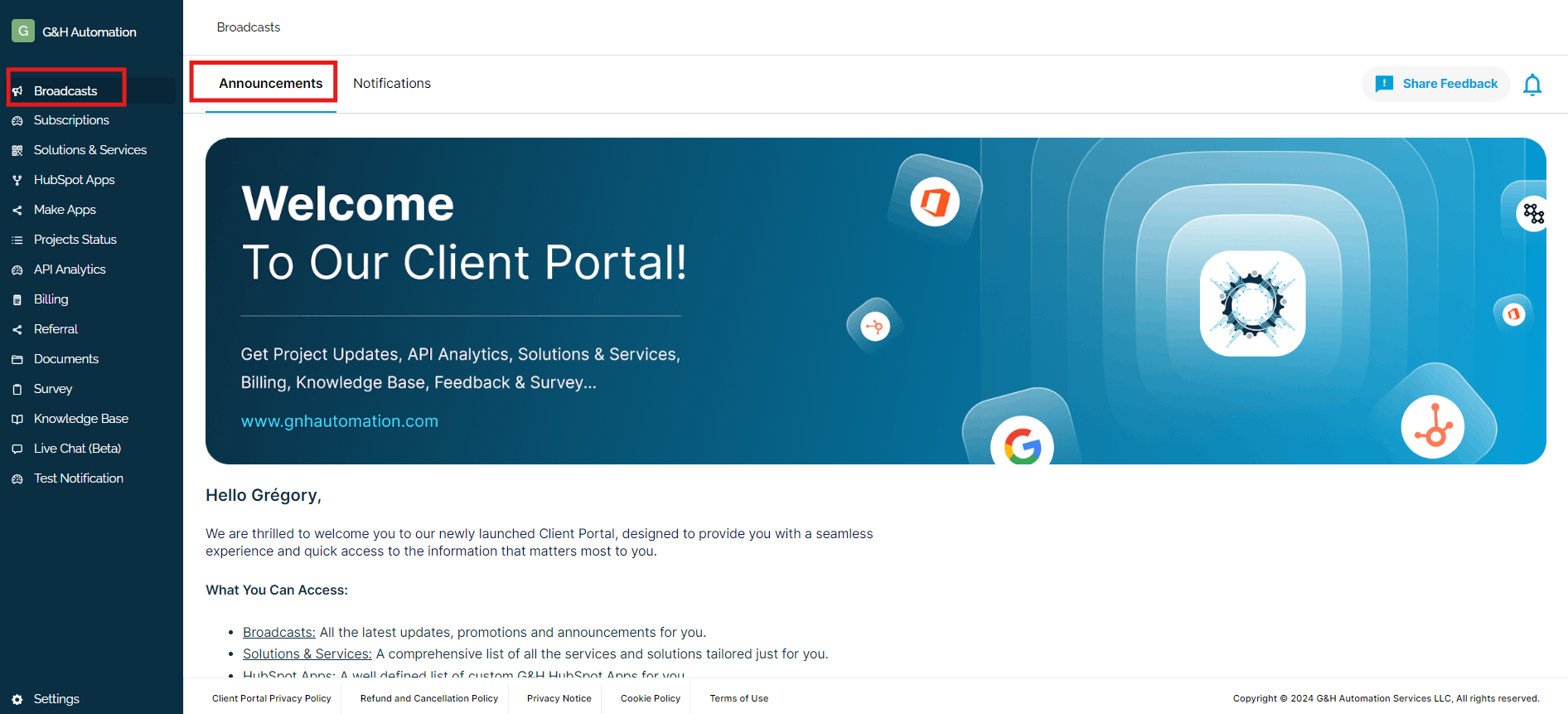
Image Showing G&H Automation Client Portal
G&H Automation Client Portal Features
There is a menu list in the client portal, and each has its unique purpose. Here is a brief overview of each element.
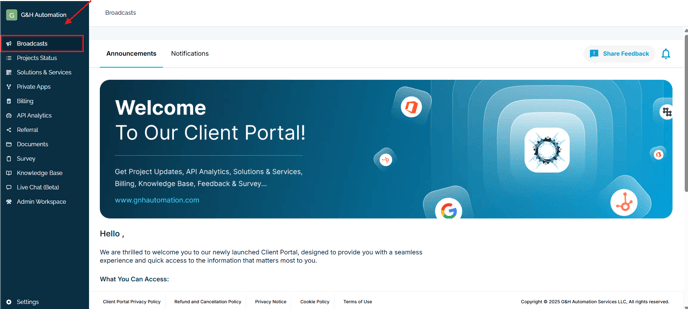
1. Broadcasts
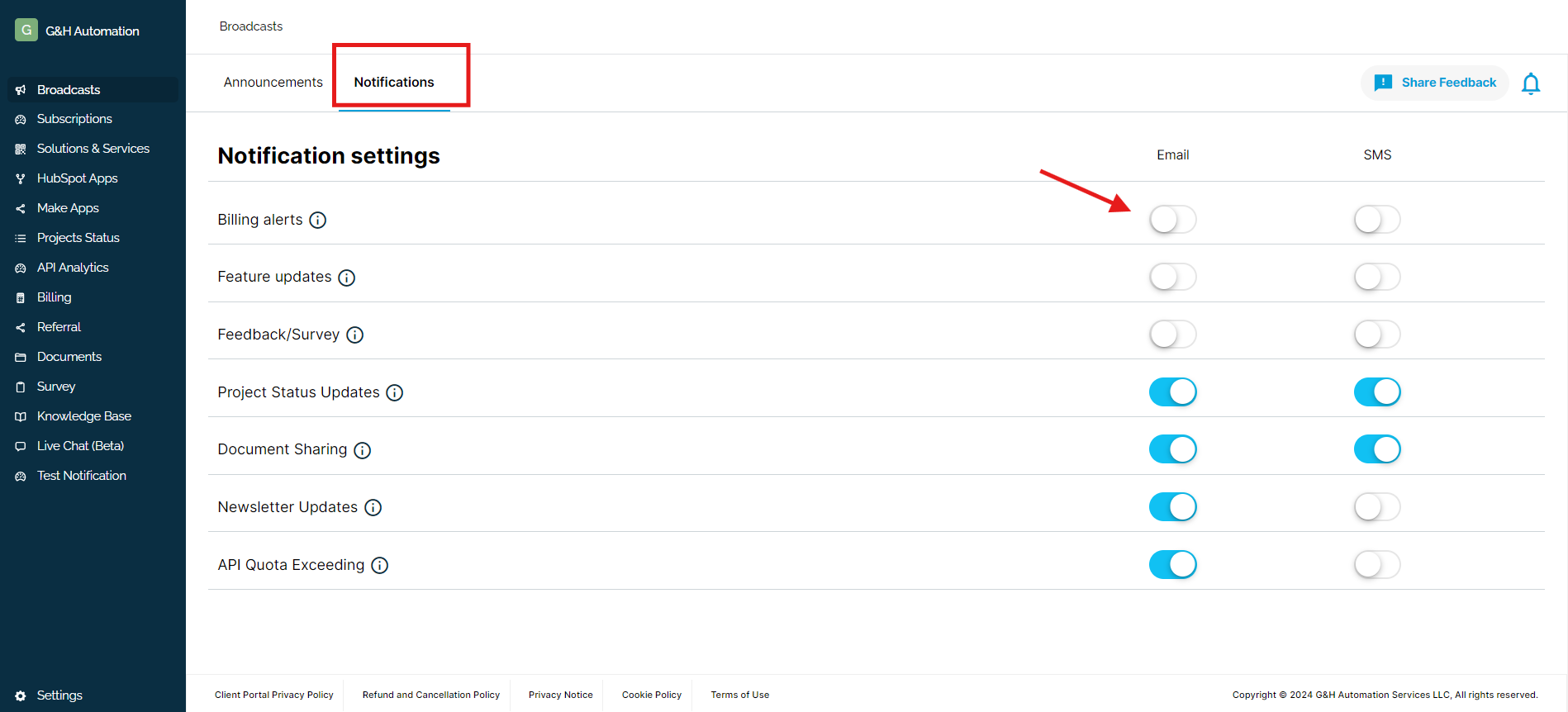
On the other side, within the same screen, there's a notifications section that is customized, and you can select the type of notification you want. For example, if you want regular billing notifications, you simply need to toggle on the email and SMS alerts for this particular feature... read more
2. Project Status
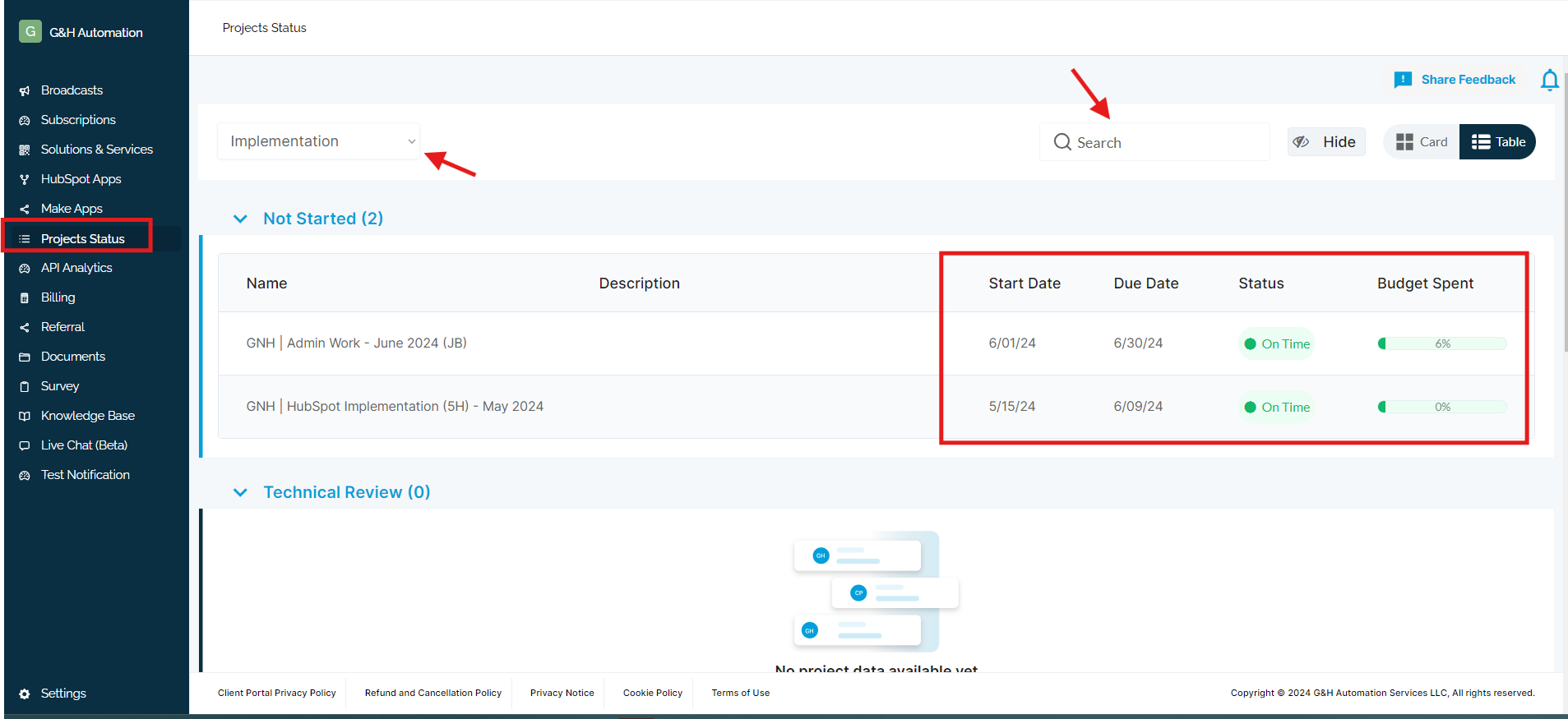
With this menu, you can easily track the status of your project. You will be able to see whether it was completed on time or delivered late. As a client, you can also view the projects at different stages, such as under technical review or the programming stage. Furthermore, you can access table and stage views for each project. This will give you a more detailed understanding of the progress and status of each project. With this information, you can stay informed and up-to-date on the current status of your projects at all times....read more
3. Solutions & Services
This section in the Client Portal provides ease to clients with knowledge about solutions and services. G&H Automation provides different custom solutions to clients such as Google Automation, Microsoft Office Automation, and much more. You can send a quote against the respective solutions to let us know about your project.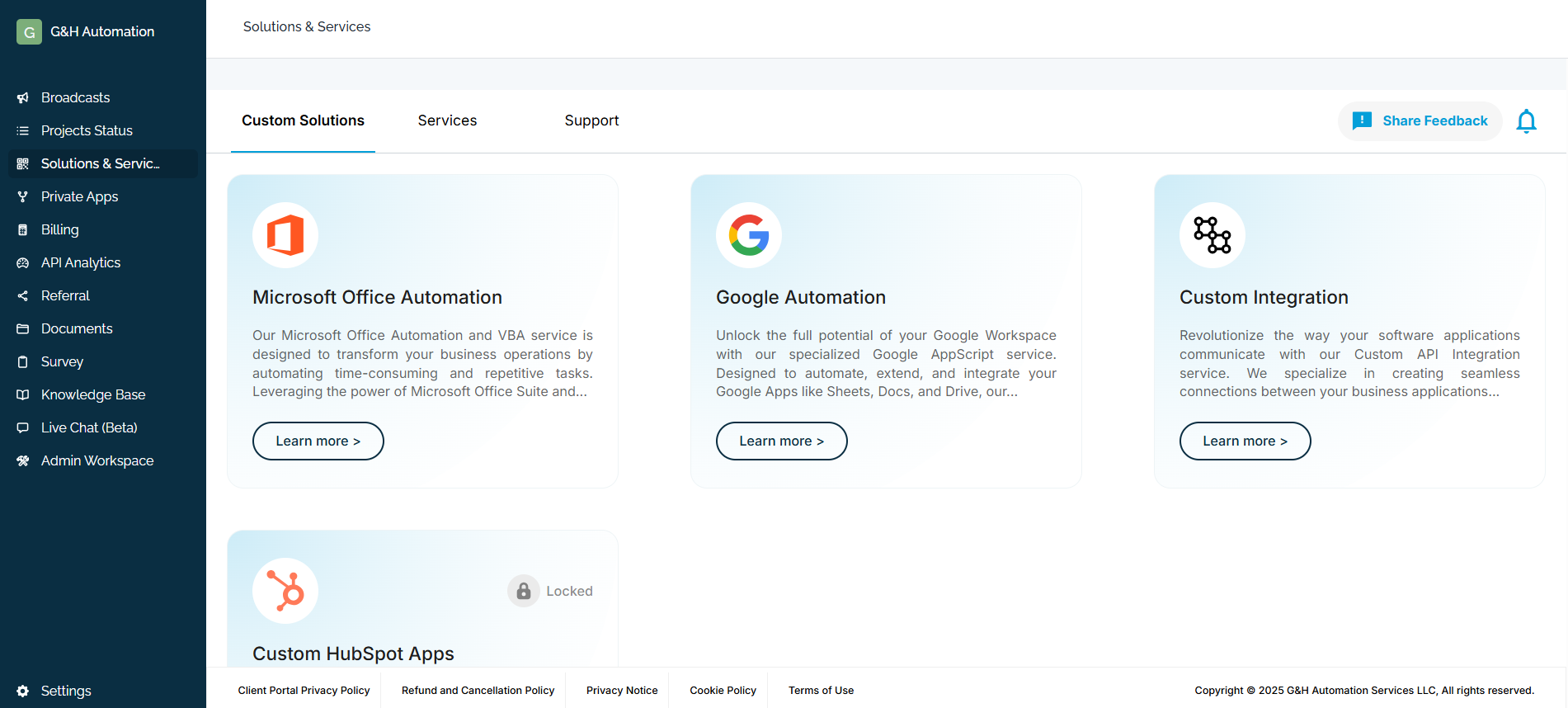
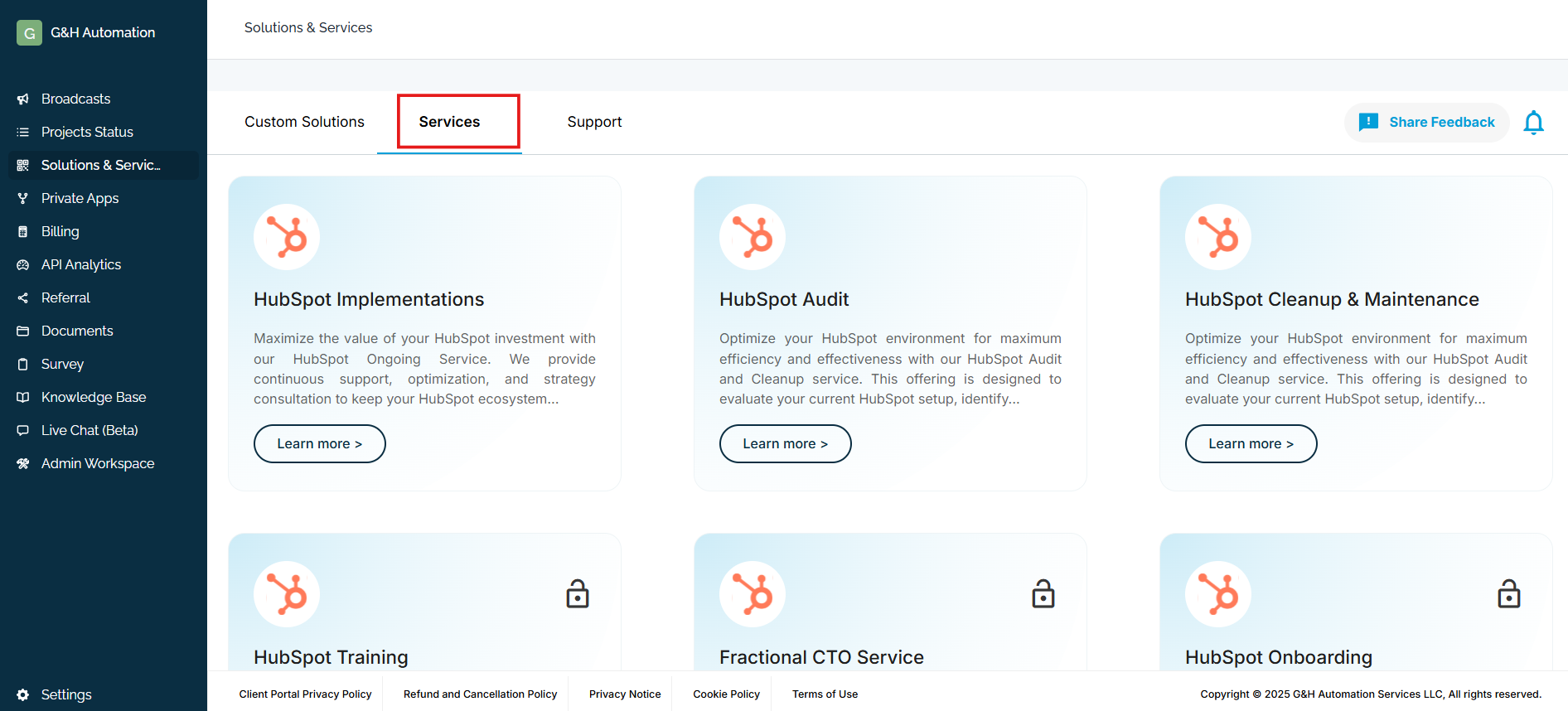
On the other hand, there are different services such as HubSpot Onboarding, CRM Data Migration, Dropbox Sign, and others that you can buy directly from our Client Portal depending on your business needs...read more
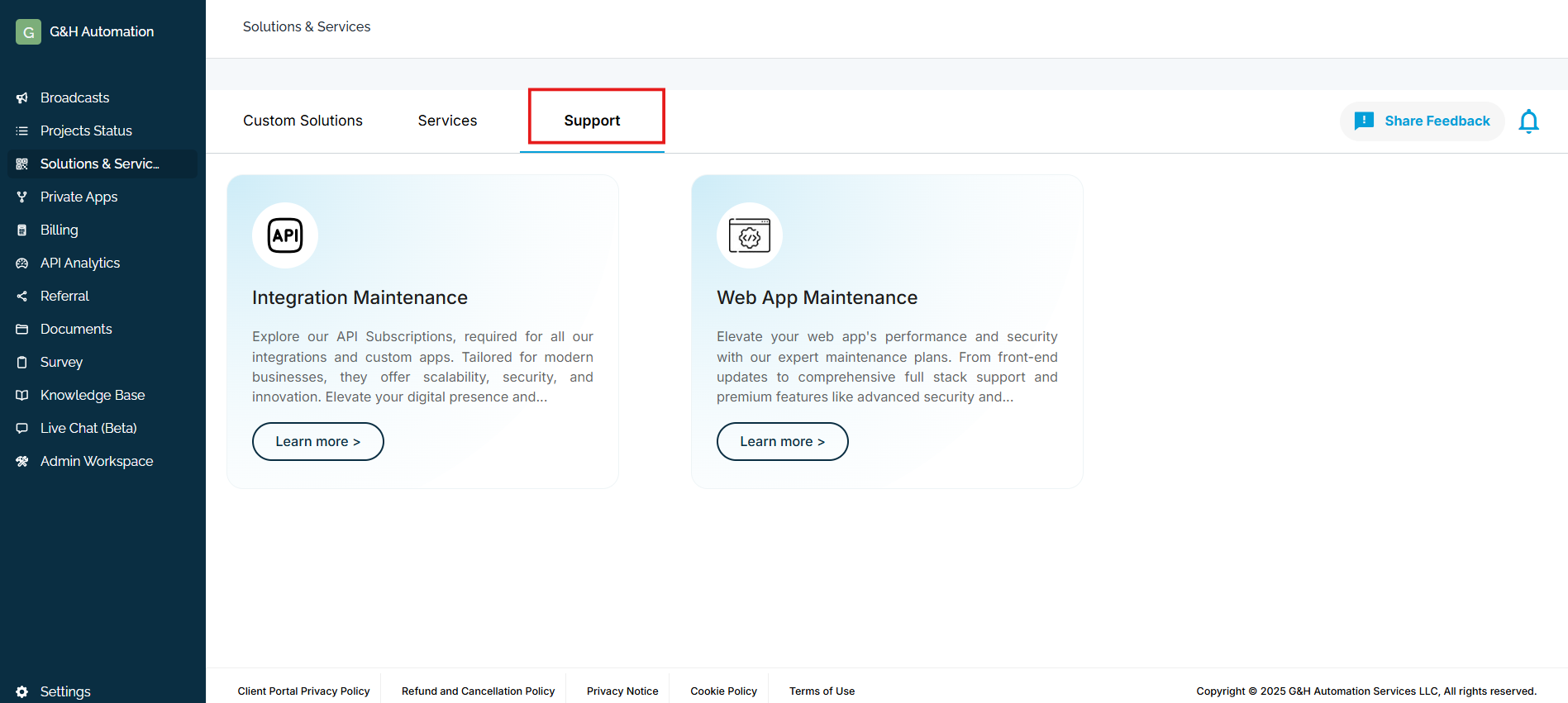
There is also a Support service that includes integration and web app maintenance services, providing robust APIs for integration and custom apps and expert web app maintenance plans with full stack support...read more
4. Private Apps
5. API Analytics
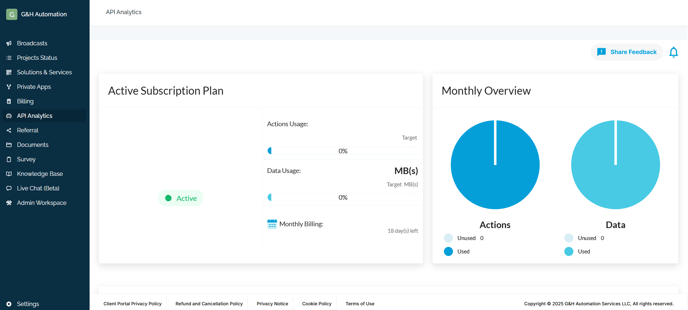
The API analytics feature allows you to visualize and analyze the data consumption and actions taken monthly. It provides a comprehensive view of the data and actions that are allocated against your current plan. With API analytics, you can keep a close eye on the usage and performance of your APIs, identify trends, and make informed decisions to optimize their usage. By using API analytics, you can ensure that your APIs are performing optimally and meeting the needs of your users...read more
6. Billing
Managing your billing details with G&H Automation's Client Portal is a hassle-free process, ensuring accuracy and convenience. The portal offers a comprehensive view of billing history such as subscriptions, invoices, and account details that include payment status, balance, and due dates.
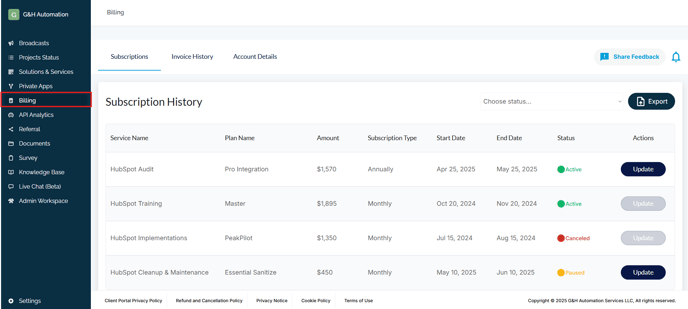
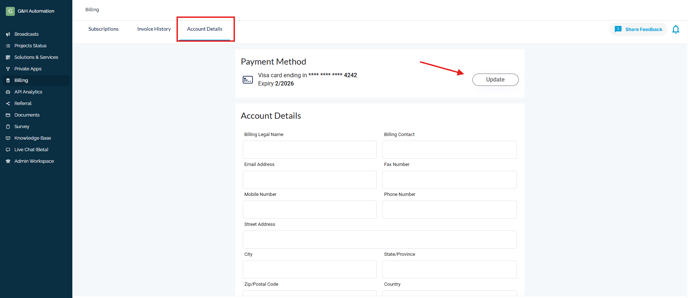
Clients can effortlessly edit and update their billing information to maintain accuracy, with instant updates to their billing history. To pay bills, simply log in, access the billing history, and complete the payment process. Additionally, the portal allows easy export of billing details to your email, enhancing efficiency and easing the management of bills...read more
7. Book a meeting
With our updated client portal, clients now have the added convenience of being able to easily book meetings at a time that is convenient for both parties. By simply logging into their account, clients can view available time slots and select a time that works best for them. This not only saves time from both ends but also ensures that meetings are booked within a suitable time frame. Moreover, clients have options to book meetings with different time durations based on their needs, providing them with more flexibility and control over their schedule. Overall, this feature enhances the client experience and makes it easier for clients to engage with our services....read more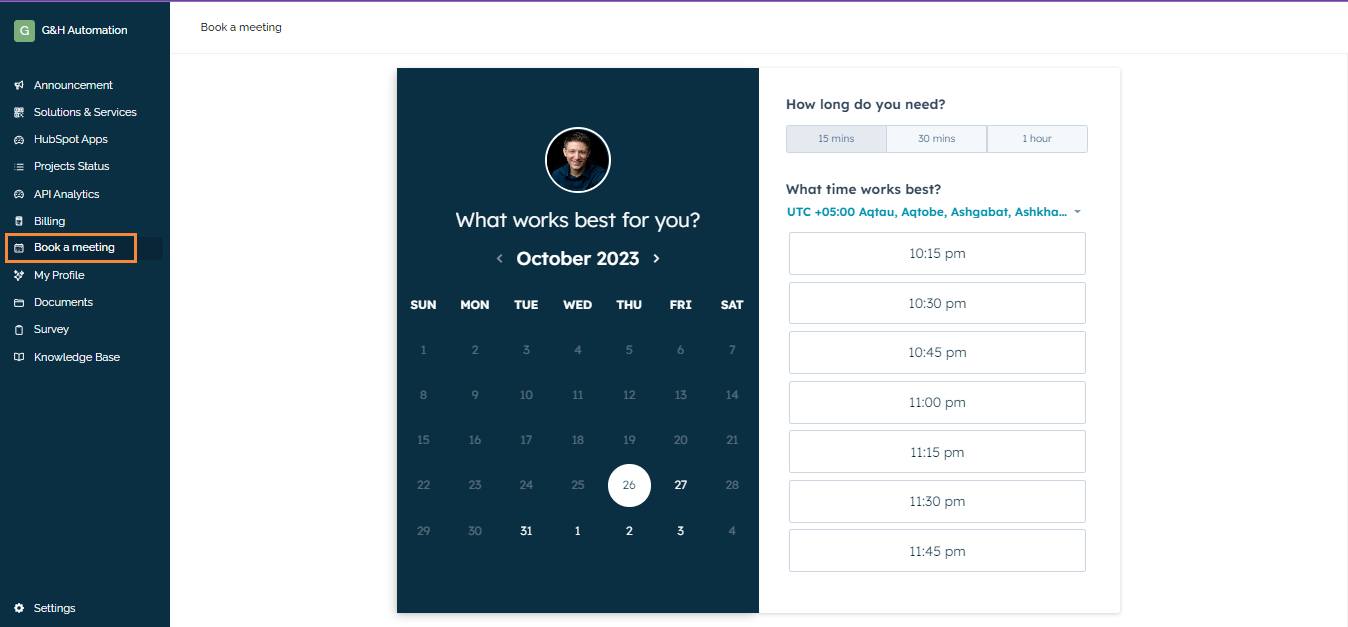
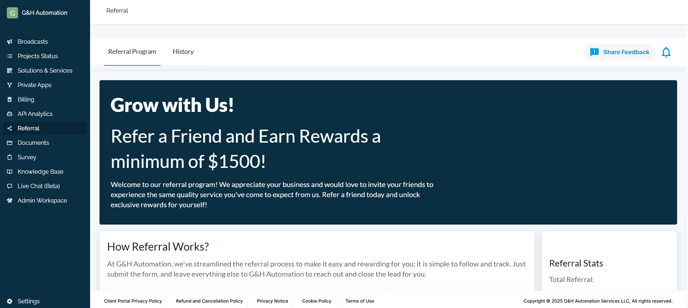
8. Referrals
The Referral Feature, on the other hand, enables clients to refer someone to the platform and monitor their referral activity and earnings. The referral history feature provides a comprehensive overview of referral activity, including details such as the referral's status, the amount earned, and more. With these features, clients can optimize their referral strategy and maximize their earnings potential...read more
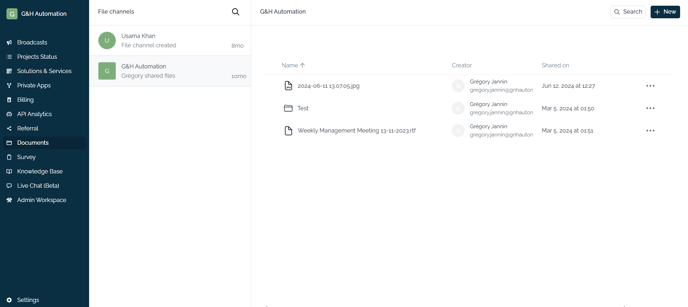
8. Documents
This feature provides a secure and confidential way to submit vital business documents, including audit reports, financial statements, and other sensitive information. By utilizing the secure server, all documents are stored safely and can only be accessed by authorized personnel, ensuring the utmost confidentiality. Additionally, the platform provides a convenient and organized way to manage and track document submissions. Thus, making it easier to keep track of important information and maintain accurate record-keeping...read more
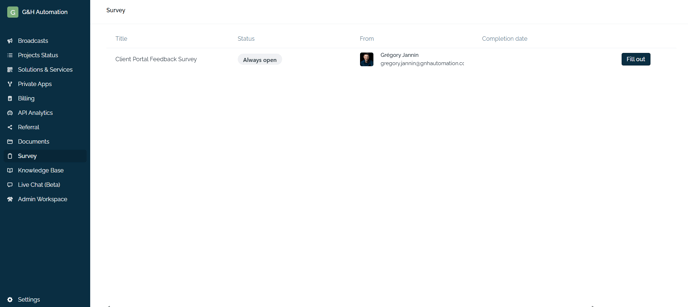
9. Survey
One of the most significant features that we have incorporated is our survey system. This system enables us to gather feedback from our clients regarding the effectiveness of our solutions and services. It provides us with valuable insights into how well we are performing and what areas need improvement.
Our survey system is designed to be comprehensive and user-friendly, ensuring that our clients can easily provide feedback on any aspect of our solutions and services. We meticulously analyze the feedback we receive from our clients, which helps us identify trends and patterns that can be used to make data-driven decisions...read more
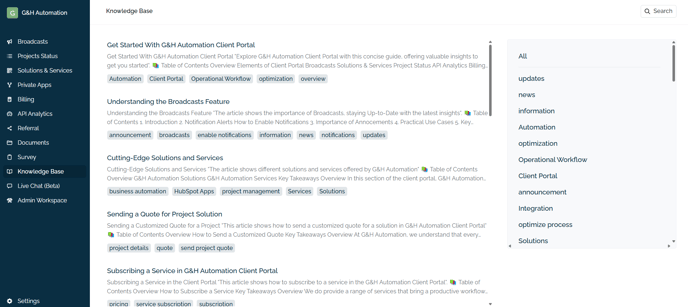
10. Knowledgebase
In our client portal, we have detailed articles that provide a comprehensive step-by-step guide for understanding each module and learning how to use them effectively. These articles are designed to cater to users of all skill levels, ensuring that both beginners and experienced clients can navigate the portal with ease. Each guide includes clear instructions, screenshots, and practical examples to illustrate key functionalities. Additionally, these resources cover common questions and troubleshooting tips, empowering clients to maximize their use of the portal's features. By leveraging this extensive knowledge base, clients can enhance their experience, streamline their operations, and make informed decisions while utilizing our services..
11. Live Chat
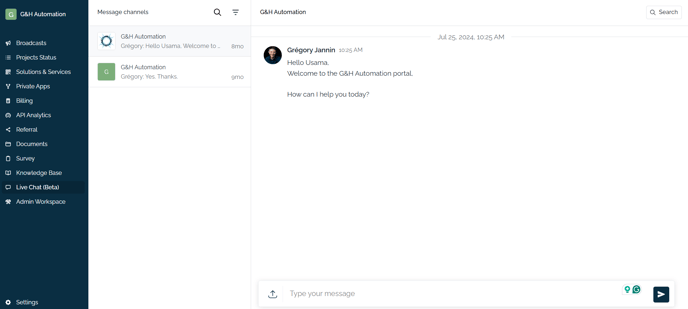
Within G&H Automation's client portal, there is a convenient Live Chat feature that allows you to engage with the team in real-time. This means that you can easily connect with the G&H Automation support team and receive immediate responses to any questions or concerns that you may have. Whether you need assistance with technical issues, product information, or general inquiries, the live chat option provides you with a direct and efficient communication channel to get the help you need...Read More
12. Settings
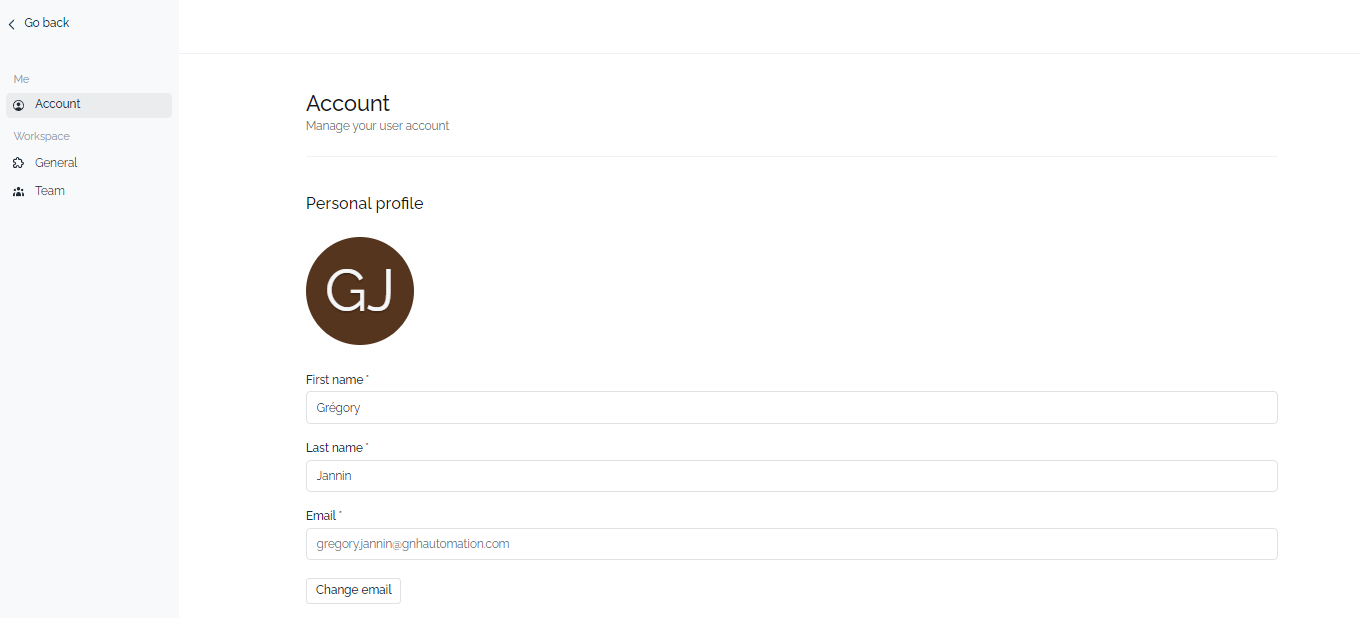
The account settings in the G&H Automation Client Portal provide a range of options to manage your general settings, team members, and preferences. You can customize and update your personal information in the Personal Profile section, configure authentication preferences, and personalize your privacy settings right from the Security section. In the Workspace, you can manage your general G&H automation settings, such as setting up your company information and managing team members. By granting access to the client portal, you can keep your clients up-to-date on project progress and provide a seamless collaboration experience....read more
13. Admin Workspace
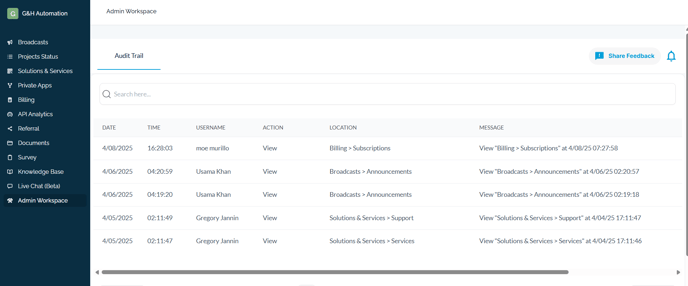
This feature is exclusively available to administrators, providing them with a comprehensive overview of the audit trail. This includes detailed information such as:
- **Date**
- **Time**
- **Username**
- **Action**
- **Location**
- **Message**
For example, on April 8, 2025, at 16:28:03, user Moe Murillo accessed the "Billing > Subscriptions" section, viewing the details at 07:27:58 on the same day. This functionality ensures that admins can effectively monitor activities within the portal...Read More
Key Takeaways
- Centralized Hub: Manage projects, access info, and communicate with G&H Automation in one place.
- Stay Informed: Get announcements, track project status, and view billing history.
- Convenience: Book meetings, update information, and securely submit documents.
- Improved Collaboration: Manage team members and keep clients informed on progress.
- Streamlined Workflow: Utilize HubSpot Apps to automate tasks and optimize processes.
- Direct Communication: Get real-time support through the Live Chat feature.
💡Looking for Help?
Do you have further queries or require additional clarification? Feel free to reach out.