
📚Table of Contents
1. Introduction
2. How to Share Feedback
3. Key Takeaways
Introduction
It is crucial to share feedback, whether you have received an excellent or unsatisfactory service. The G&H Client Portal provides a wonderful opportunity to provide valuable feedback on the service standards. By sharing feedback, we can constantly improve our service, so our clients get the most out of the Client Portal. This article will provide an easy way to share feedback from the Client Portal.
How to Share Feedback
Step 01:
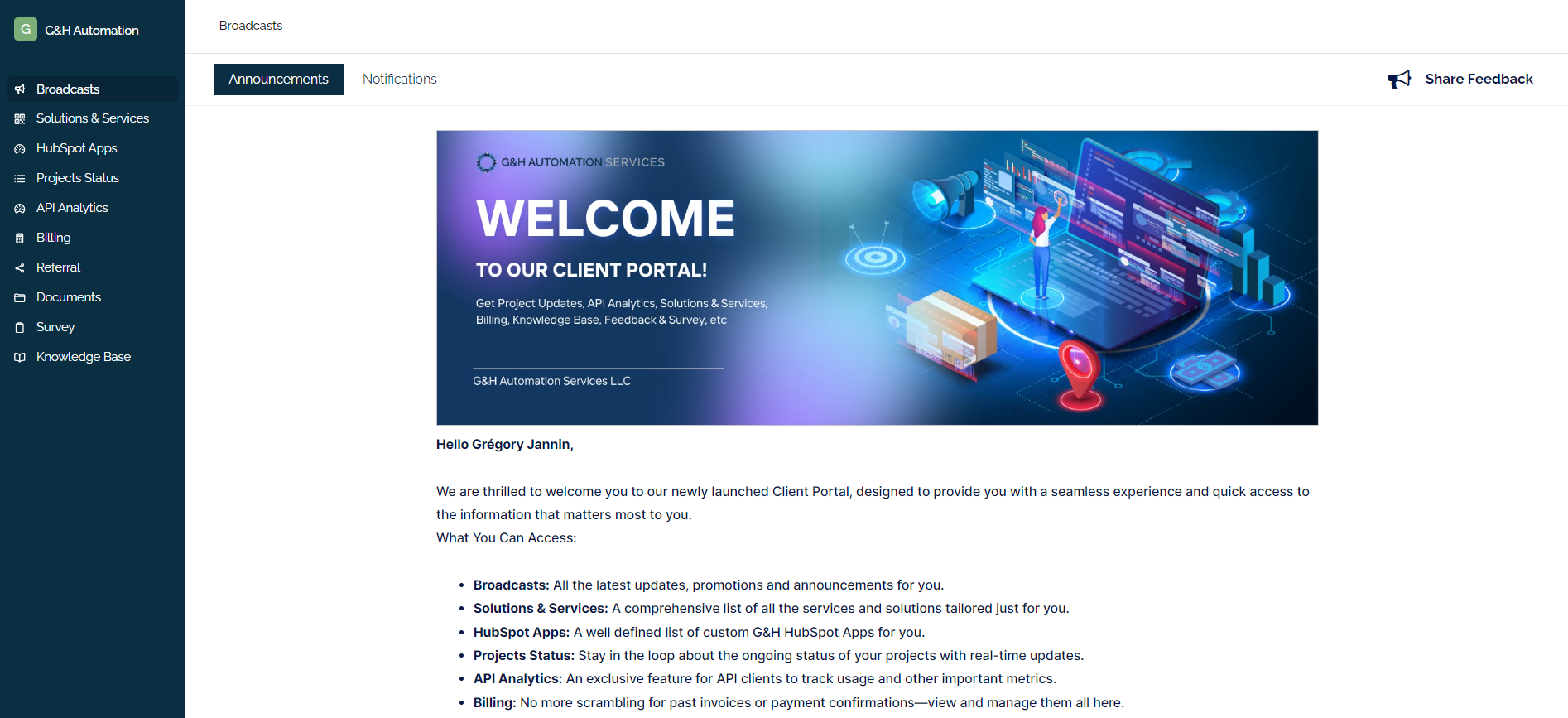
Login to your Client Portal. You will land right into your Broadcasts section.
Step 02:
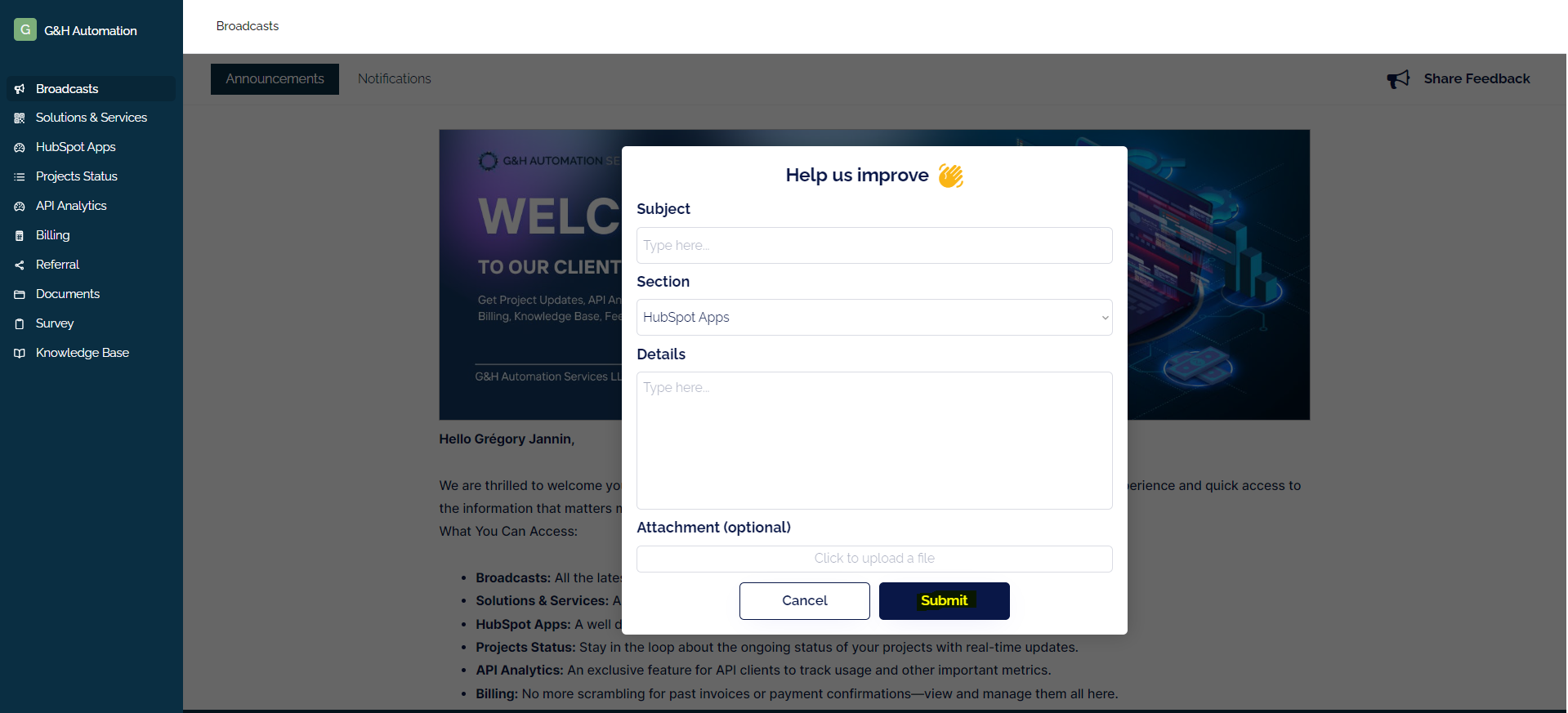
Click on "Share Feedback" from the extreme top right. A new pop-up window will be opened.
Step 03:
Enter your subject, select a particular section, and details about what you are experiencing. After that, upload a file and click the "Submit" button to share your feedback successfully.
Key Takeaways
- Sharing feedback on your experience with the G&H Client Portal helps improve the service for all users.
- You can submit feedback directly through the portal.
💡Looking for Help?
Do you have further queries or require additional clarification? Feel free to reach out.