
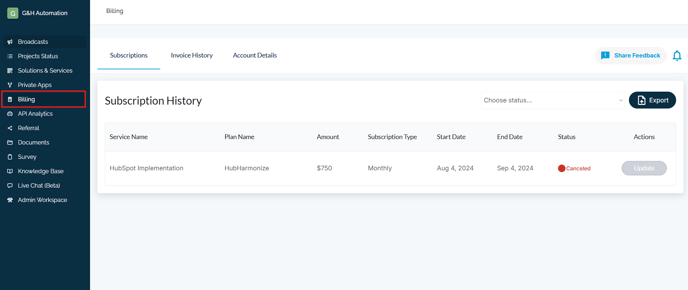
Managing billing details can be a hassle, but with G&H Automation's Client Portal, it is just a matter of a few clicks. The billing section available in our client portal provides you with a comprehensive overview of your subscription history, invoice history, and payment account details that you need to change. You can easily access information regarding the status of your payments, whether they are due, paid, or overpaid. Along with this, you can also view details such as voice number, balance amount, and payment date.
Furthermore, the portal allows you to make changes to your billing information with ease. You can edit and update any information as required, ensuring that your billing details are always up-to-date and accurate. Once you have made the necessary changes, you can save them instantly, and the new information will reflect on your billing history.
For a detailed guide, read this article: Know Everything About Your Billing
Here is how you can access it:
Step 1: Log in to the G&H Client Portal
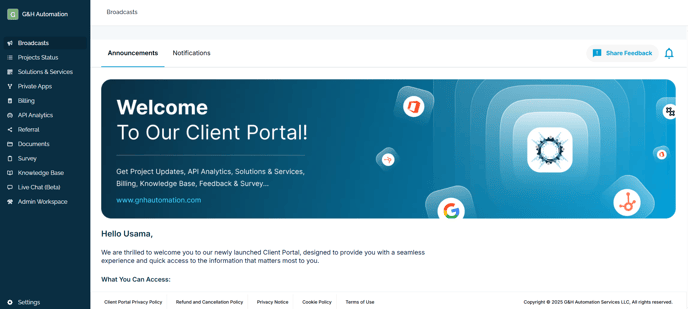
Step 2: Now, click Billing to access your billing details such as Subscriptions, Invoices, and account details.
💡Looking for Help?
Do you have further queries or require additional clarification? Feel free to reach out.