
Adding team members to the G&H Client portal is easier. All you need to do is follow the steps below:
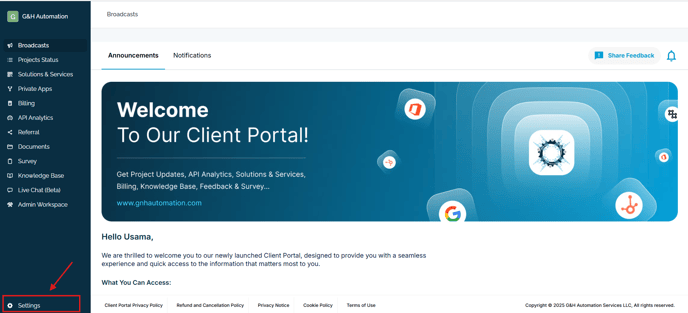
1. Navigate to Settings
Go to the Settings menu in your G&H Automation Client Portal.
2. Open Team
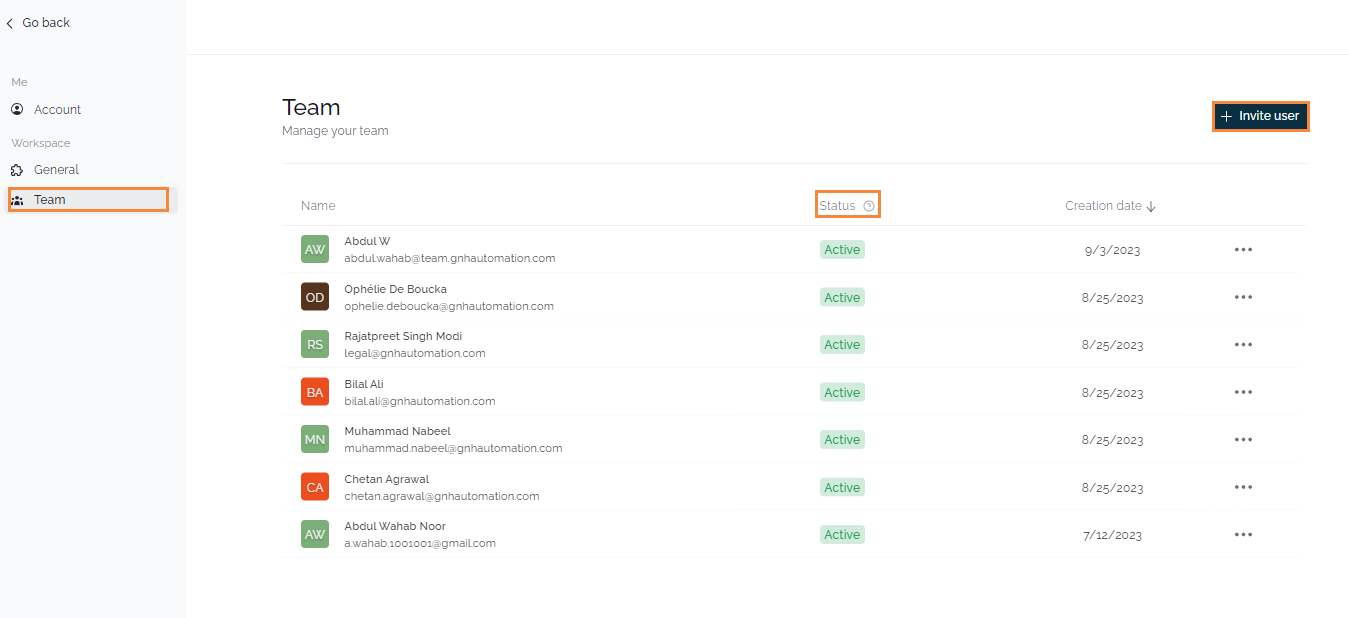
Click on the "Team" section below General. This gives you a holistic view of all your team members.
3. Invite New Members
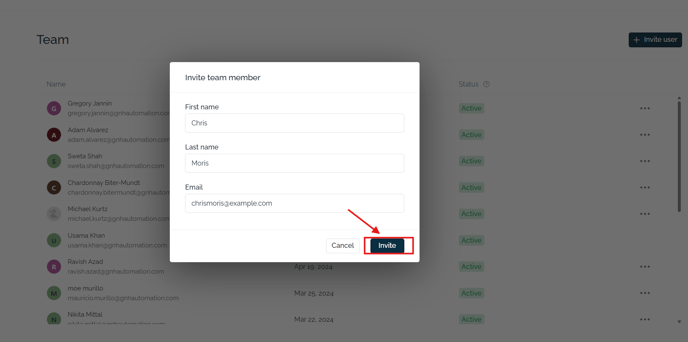
Upon clicking on Invite Users, a form will pop up to provide the details. Once you have entered the details, click on invite and the invitation email will be sent to the receiver mail address.
💡Looking for Help?
Do you have further queries or require additional clarification? Feel free to reach out.