
📚 Table of Contents
1. Overview
2. How to Submit a Survey
3. Key Takeaways
Overview
Our Client Portal is an essential tool for maintaining a close relationship with our clients. One of the features we have implemented to improve our solutions and services continuously is a survey system. The survey enables us to gather client feedback on how well our solutions and services meet their demands and expectations. This feedback is then analyzed and used to identify areas where we can make improvements to streamline our business operations and provide more value to our clients. By leveraging the power of automation, we can ensure that our services are always up-to-date and tailored to meet the evolving needs of our clients.
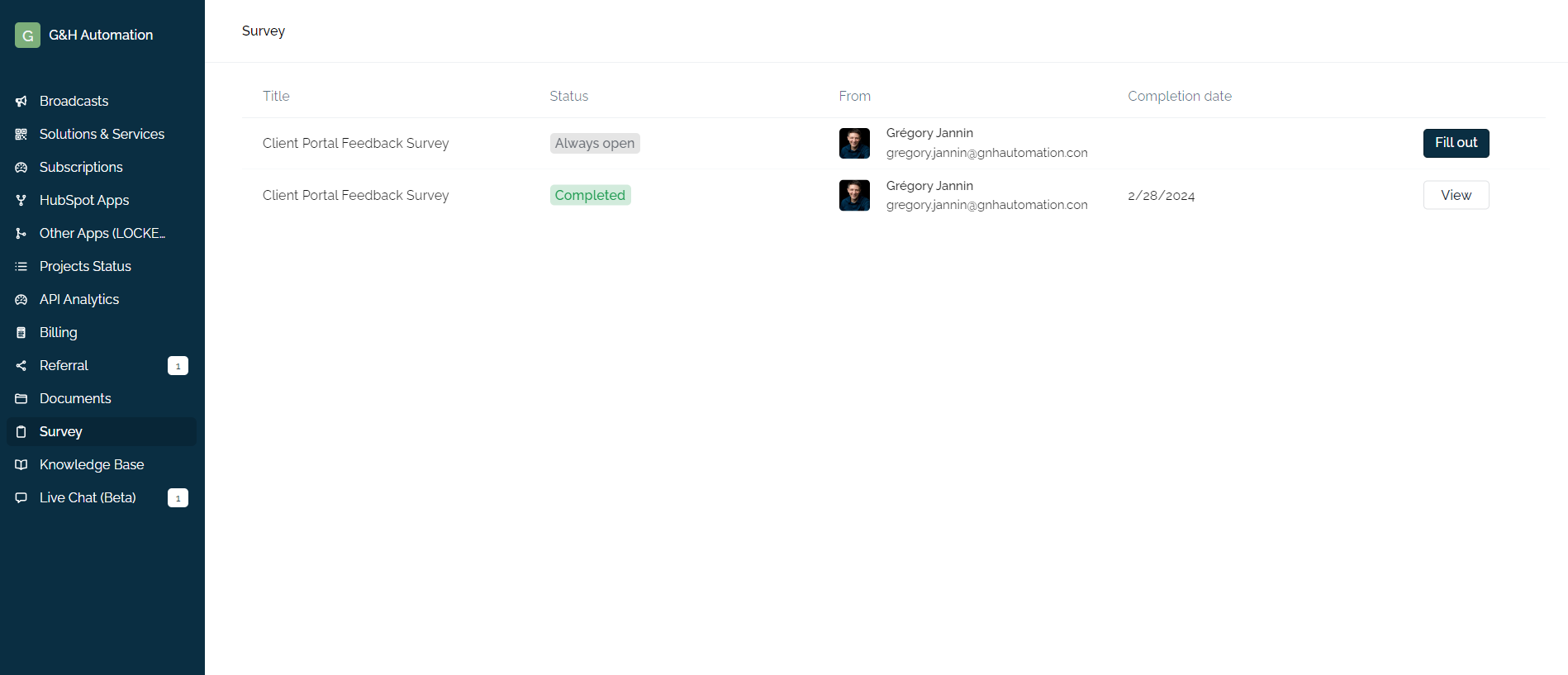
How to Submit a Survey in the G&H Client Portal?
Step 01:
Log in to your Client Portal and Click on Survey from the menu.
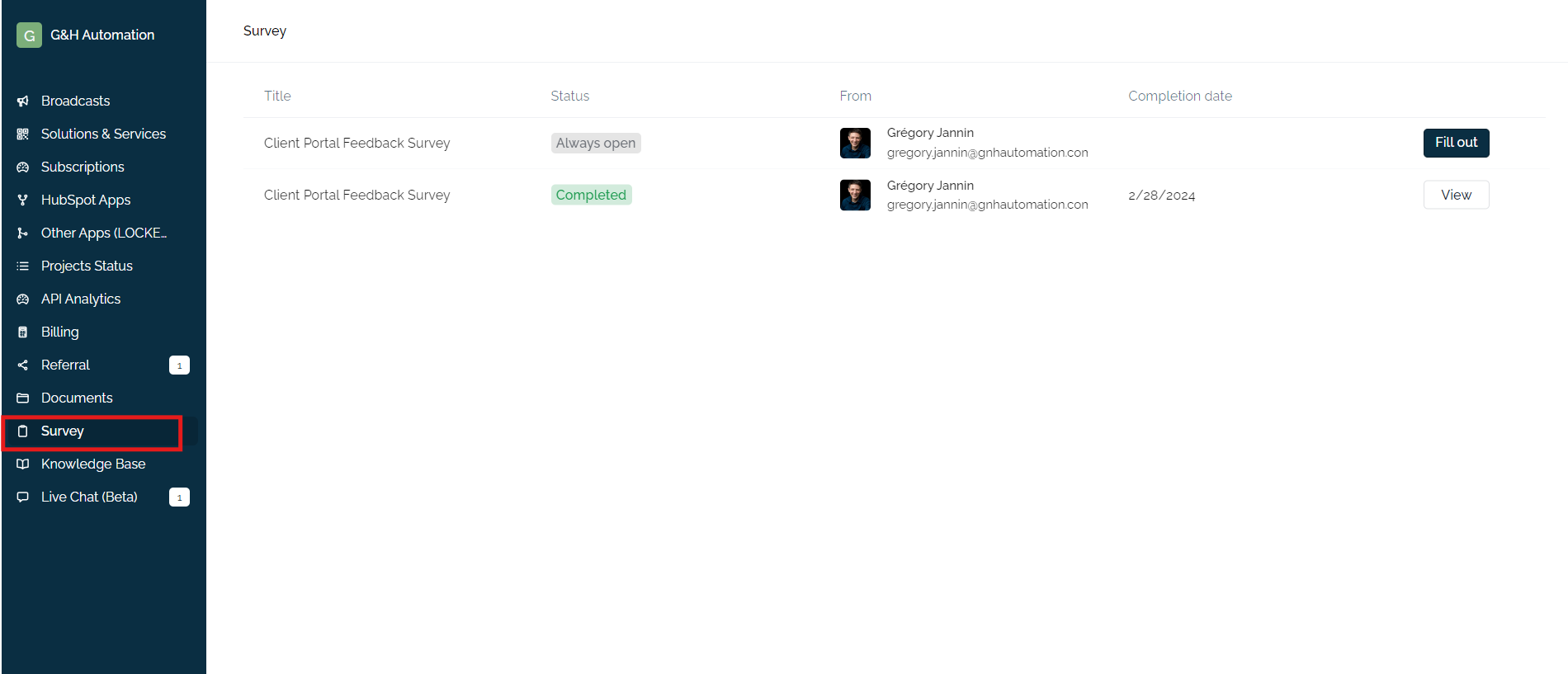
Note: You can fill out only those surveys that are available under the status as open and always open.
Step 02:
Check the status of the survey that is open for feedback. Click on the "Fill out" button for the survey that you want to complete. This will open a new window.
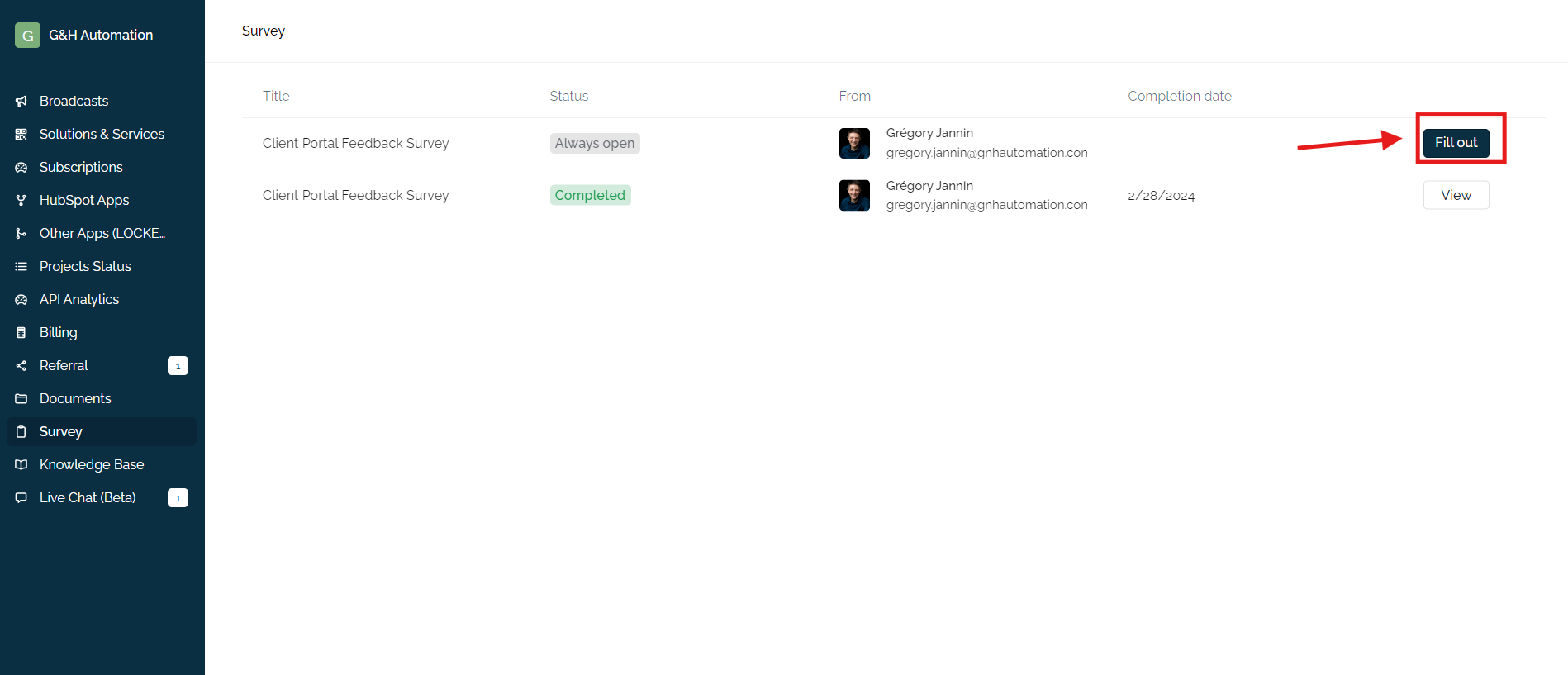
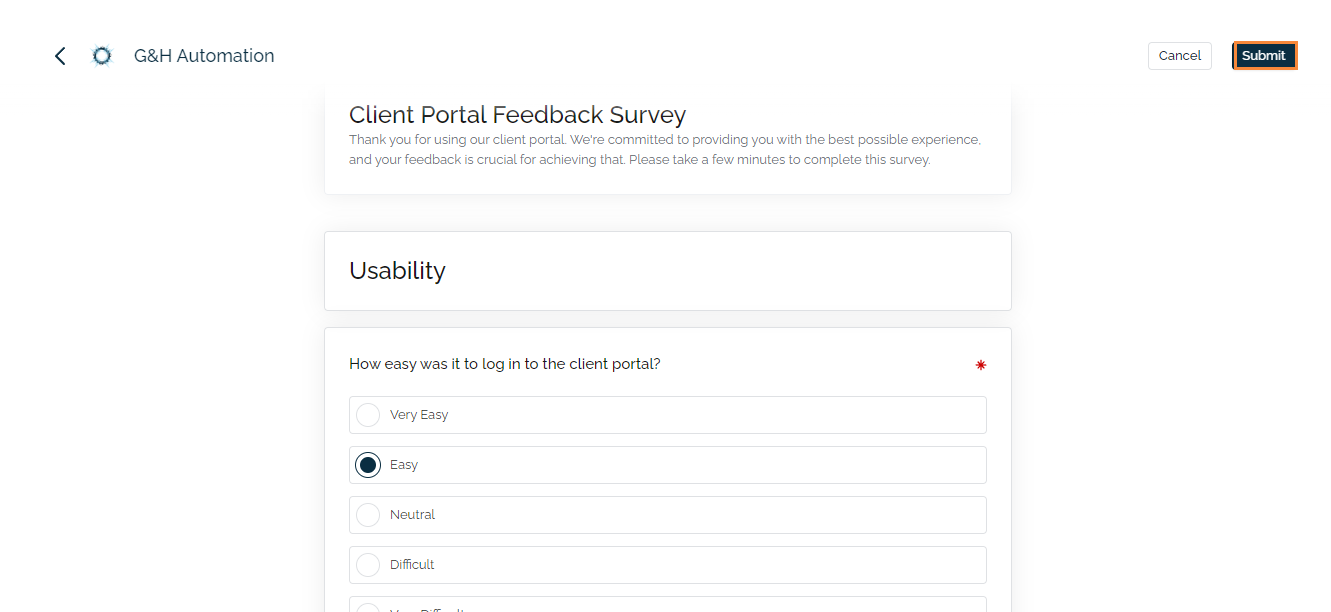
Step 03:
Fill out the form and click on the Submit button.
Key Takeaways
- Client Feedback Matters: We use surveys to gather your feedback on our services and solutions.
- Improved Services: Your feedback helps us identify areas for improvement and streamline our operations.
- Always Evolving: By leveraging surveys, we ensure our services remain up-to-date and meet your changing needs.
- Easy Submission: Submitting feedback is simple - just log in to your Client Portal and click "Fill Out" for open surveys.
💡Looking for Help?
Do you have further queries or require additional clarification? Feel free to reach out.